What Is a Robot Coffee Kiosk and How Does It Work?
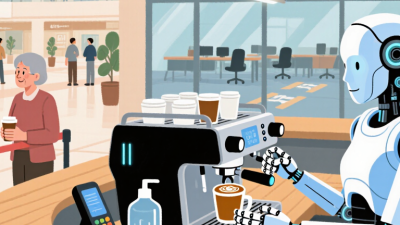
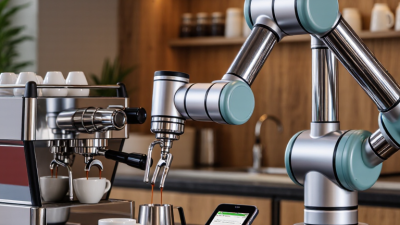
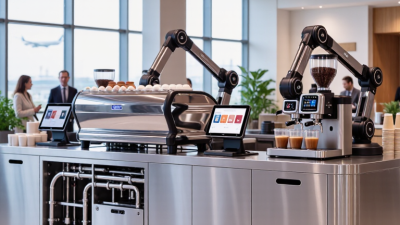
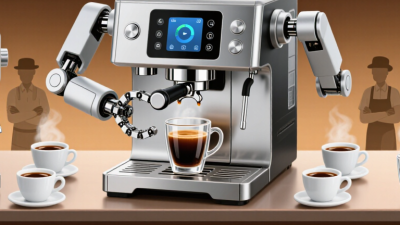
A Robot Coffee Kiosk is a compact, automated station that prepares coffee with limited hands-on service. Customers usually choose a drink on a touchscreen, adjust options such as milk or sweetness, and pay before preparation begins. Inside, equipment may grind beans, heat water, dispense milk, and move a cup through a set of programmed steps. Some kiosks use a robotic arm; others rely on fixed dispensers and mechanical parts. The exact setup depends on the machine and its operator.
The process can look simple from the counter. A screen displays an order, a grinder releases fresh grounds, and coffee flows into a cup while the system coordinates each step. Sensors may check cup position, ingredient levels, or machine status. Yet automation does not remove the need for people. Staff still replenish beans and milk, clean food-contact surfaces, handle faults, and monitor drink quality. Small details matter: a misaligned cup or clogged nozzle can disrupt an order. It is worth remembering that advertised speed and consistency may vary with the menu, maintenance, and daily demand.
Understanding how a Robot Coffee Kiosk works helps readers judge its practical value, not just its novelty. The following overview explores its main components, order-to-cup workflow, benefits, and limitations. A kiosk can make service more predictable. It cannot make every cup perfect.
What Defines a Robot Coffee Kiosk?
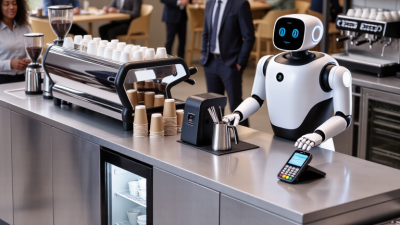
A robot coffee kiosk is a compact beverage station in which automated equipment performs the main preparation steps, rather than simply dispensing a prefilled drink. A robotic arm or guided mechanism may move cups, dose coffee, operate an espresso machine, and deliver the finished order. Sensors and software coordinate these actions with payment and order controls. The kiosk still needs people for tasks such as restocking beans, cleaning equipment, and handling unusual faults. It is not fully self-sufficient.
The distinction is practical. A touchscreen alone does not make a kiosk robotic; the system must physically automate preparation. The National Coffee Association’s 2024 National Coffee Data Trends report found that 67% of U.S. adults had coffee in the past day, indicating strong everyday demand for convenient service.
The International Federation of Robotics reported 4.28 million industrial robots operating worldwide in 2023, but that figure does not count coffee kiosks; it provides broader context for automation, not a kiosk market estimate. In use, a customer might tap an order, watch a cup move beneath the grinder, and collect a drink minutes later.
Small delays still matter. A robot can repeat a recipe consistently, yet milk texture, equipment wear, and cleaning quality can affect the result. Human oversight remains part of the system.
The Main Components of an Automated Coffee Kiosk
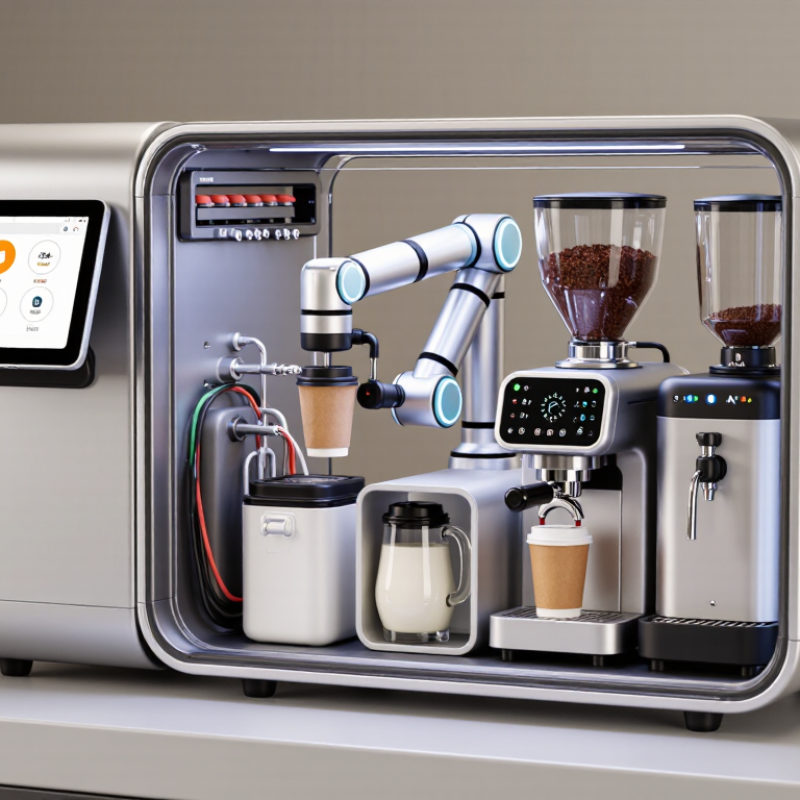
A robot coffee kiosk combines a compact coffee station with software that coordinates each order. Its components usually include an order screen, payment terminal, ingredient storage, brewing equipment, and a robotic arm or automated dispenser. The exact setup varies. Some kiosks use a robot to move cups; others rely on fixed machines and timed mechanisms.
The order screen sends drink choices to a control system, which checks the recipe and starts the required steps. Sensors can track cup position, ingredient levels, and machine status. The grinder prepares beans, while the brewer controls water flow and temperature. Milk may be chilled in a separate compartment and steamed or dispensed through a dedicated unit.
Small details matter. A poorly positioned cup can interrupt the sequence, even when the software is working correctly.
Behind the counter, pumps, valves, tubing, and temperature controls move water and milk through the system. The kiosk also needs cleaning routines and accessible parts for maintenance. These are easy to underestimate. Automation can make drink preparation more consistent, but it cannot remove the need for regular checks, careful calibration, and human support when a sensor misreads a cup or an ingredient runs low.
How Customers Place and Customize an Order
At a robot coffee kiosk, customers usually begin at a touchscreen or scan a menu displayed beside the machine. They select a drink, size, milk, sweetness, and temperature. Small choices matter. A clear screen helps, but too many options can slow the line. The National Coffee Association’s 2024 National Coffee Data Trends report found that 67% of U.S. adults had coffee the previous day. That daily habit makes a quick, understandable ordering flow important.
After choosing, customers review the price and send the order to the kiosk’s control system. The robot then prepares the drink using programmed steps, such as grinding beans, brewing, and dispensing milk. Customers can often watch the cup move between stations, then collect it when an order number or screen alert appears. Some kiosks allow changes after submission; others do not, so the confirmation screen deserves a careful check. Not always perfectly.
Customization also has limits. A machine may offer several milk types but not support every combination or special request. If an ingredient runs out, the interface should say so before payment, rather than leaving customers to guess. For a first visit, choosing a familiar drink is sensible; once the process feels clear, customers can explore the available adjustments.
What Is a Robot Coffee Kiosk and How Does It Work? - How Customers Place and Customize an Order
| Order stage |
What the customer does |
What the kiosk does |
Common choices or details |
| 1. Browse the menu |
Views the menu on a touchscreen or other ordering interface. |
Displays available drinks, descriptions, prices, and any out-of-stock items. |
Espresso-based drinks, brewed coffee, tea, or other items depend on the kiosk’s menu. |
| 2. Select a drink |
Taps a menu item to begin an order. |
Opens the drink’s available size and recipe options. |
Options vary by recipe; a drink may be offered hot, iced, or in selected sizes. |
| 3. Customize the recipe |
Chooses from the modifications shown on screen. |
Updates the order and, where supported, adjusts the automated preparation instructions. |
Possible choices include milk type, syrup, sweetness, espresso shots, and ice level. Available choices differ by kiosk. |
| 4. Review the order |
Checks the drink, customizations, and displayed total before confirming. |
Shows the order summary and prompts the customer to edit or proceed. |
Customers can correct selections before payment if the interface provides an edit option. |
| 5. Pay and submit |
Follows the on-screen payment instructions and confirms the purchase. |
Processes the payment through the available payment method and sends the confirmed order to the preparation system. |
Payment methods depend on the kiosk and location; follow the options shown on screen. |
| 6. Track preparation |
Waits for an on-screen status, order number, or other pickup instruction. |
Coordinates the programmed preparation steps and may show the order’s progress. |
Preparation equipment and status displays vary between kiosks. |
| 7. Collect the drink |
Uses the indicated pickup point and checks the order before leaving. |
Signals when the order is ready or presents it at the designated collection area. |
Follow the kiosk’s pickup instructions; some locations may have staff available to help. |
Note: Menu items, customization choices, payment methods, and preparation steps vary by kiosk and location.
How the Kiosk Prepares and Serves Each Drink
A robot coffee kiosk turns a digital order into a sequence of measured actions. After a customer chooses a drink and size, the control system sends instructions to the brewing equipment and robotic arm. The kiosk may grind beans for each order, dose them into a basket, and press the grounds before brewing. Exact steps vary by machine. Sensors can check cup position, ingredient levels, and whether a dispenser has finished its task. Small details matter.
For a milk drink, a separate unit may heat and foam milk before the arm moves the cup to the espresso station. The drink is assembled in stages, with pumps and valves controlling liquid flow. A camera or position sensor can help the arm locate the cup and avoid spills. The handoff area usually signals when an order is ready. The sequence is precise, but it is not magic.
A well-maintained kiosk also needs routine cleaning, ingredient refills, and calibration. These tasks affect taste as much as the robotic movements do. For example, stale beans or a poorly adjusted grinder can produce a weak or bitter shot. Automation can make preparation more consistent, yet it cannot fix every ingredient or equipment problem. When a drink looks unusual, a human operator may still need to inspect the machine and correct the issue. That part is easy to overlook.
How the Kiosk Is Maintained and Operated
A robot coffee kiosk needs routine attention, even when its service looks fully automated. At opening, an operator checks the water supply, beans, milk, cups, and waste bins. Small checks matter. The grinder and dispensing area are inspected for residue, while touchscreens and handles are wiped with food-safe cleaning products. Staff follow the kiosk’s sanitation instructions and record completed tasks. A clean counter is useful, but it does not prove that internal parts are clean.
During service, software can flag low ingredients, temperature changes, or payment and brewing errors. An operator reviews these alerts and checks the machine before restarting it. Milk lines and brewing components need cleaning at the intervals specified by the equipment maker. Sensors may require calibration, too. Exact schedules vary by machine and use. Logs help reveal recurring faults, such as a grinder that repeatedly jams after a refill.
Restocking should be measured, not guessed. Staff check ingredient dates, rotate supplies, and avoid filling containers beyond their marked limits. A rushed refill can still happen; checklists reduce that risk, but cannot remove it. When a fault persists, the kiosk should be taken out of service until a qualified technician inspects it. Clear maintenance records make handovers easier and help operators distinguish a one-time glitch from a developing problem.