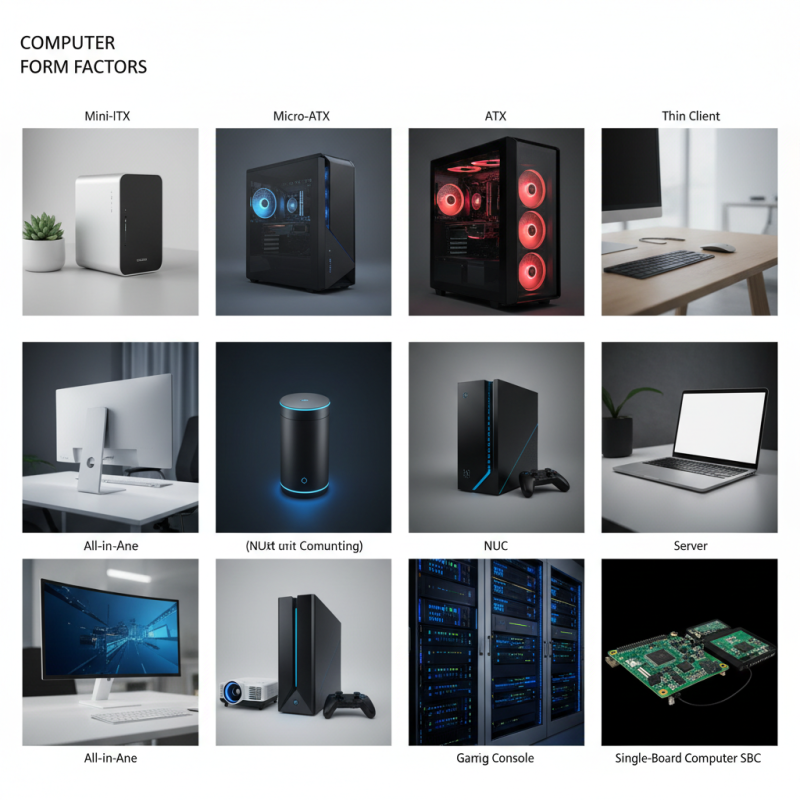
Top 10 Computer Form Factors Explained for Your Needs?
Understanding Computer Form factors is essential for selecting the right device for your needs. A computer form factor defines the physical shape and size of a computer. It includes aspects like motherboard size and case dimensions. For instance, a compact Mini-ITX is perfect for small spaces. In contrast, full-sized ATX cases offer more expansion options.
Each form factor serves specific user requirements. Gamers may prefer larger towers for better cooling and storage. However, those seeking portability might opt for laptops or all-in-one models. The variety can be overwhelming. It often leads to indecision. Reflecting on your personal needs is vital.
Not every form factor fits all. A smaller form might lack power, impacting performance. Conversely, a larger setup requires more space. This complexity adds to the challenge. Ultimately, it’s about balancing form, function, and personal preference.
Understanding Computer Form Factors: A Comprehensive Overview
When considering computer form factors, understanding the various types can guide your choice. Computer form factors refer to the physical and electrical specifications of a computer's components. Key details include size, layout, and connectivity options. Popular form factors include ATX, MicroATX, and Mini-ITX. According to industry research, over 70% of users opt for ATX due to its flexibility and expandability.
MicroATX is gaining traction as well. Its smaller size still allows for decent expandability. Many builders appreciate its balance between space and performance. However, the Mini-ITX appeals to a niche market looking for compact solutions. Despite its limitations, it fosters creativity in design. Data shows growth in Mini-ITX systems has increased by 25%.
Choosing the right form factor requires careful thought. Space constriction can stifle performance. Some users fall into the trap of choosing aesthetics over functionality. Proper research can avoid potential disconnects between needs and wants. Balancing size with capability is crucial for any build. Designers must consider future upgrades and cooling efficiency as well. Being mindful of these factors can result in a well-suited computer system.
Common Types of Computer Form Factors and Their Characteristics
Computer form factors define the physical layout and design of computer components. Understanding these can help you choose the right setup. Some common types include ATX, Micro-ATX, and Mini-ITX. ATX offers ample expansion slots and is great for gaming or workstation builds. It provides good airflow and compatibilities. However, it may be too large for compact spaces.
Micro-ATX is a versatile option that balances size and functionality. It fits into smaller cases while still allowing some upgrades. On the other hand, Mini-ITX is perfect for ultra-compact systems. It's great for saving desk space. Yet, their limited expansion can be a drawback. Each form factor has its own unique characteristics. Choosing wrong can lead to compatibility issues with components. Always assess your needs before deciding on a form factor.
Factors to Consider When Choosing a Computer Form Factor
Choosing the right computer form factor is crucial. Each form factor serves different needs. For example, compact desktops save space but may limit upgrade options. Towers provide more room for hardware upgrades but take up more space. It's essential to assess your workspace and future needs.
Portability is another factor to consider. Laptops and all-in-one computers are ideal for mobility. However, they often have less power than desktop counterparts. Think about your typical usage scenario. Will you use it for gaming, professional tasks, or casual browsing? Balancing performance and convenience can be tricky.
Cooling is often overlooked. Smaller units can overheat quickly due to limited airflow. Meanwhile, larger setups can be more efficient in this regard. Consider your environment. Do you live in a hot area? Making the right choice could impact your computer's longevity. Evaluate all these elements carefully.
Impacts of Form Factor on Performance and Upgradeability
Form factors greatly influence a computer's performance and upgradeability. The size and shape of a computer case can limit hardware options. For instance, a mini-tower may restrict your choice of graphics cards. A larger case provides more room for cooling solutions and additional drives. It's vital to consider how a form factor will affect future upgrades.
Upgrading components can be a challenge. Smaller form factors often mean fewer slots and limited power supply options. Users might find that upgrading the RAM is straightforward, but replacing the GPU could be problematic. Proper planning is essential. Assess your needs carefully before choosing a form factor.
Tip: Always check the specifications of components. Measurements matter. You want to ensure compatibility. Keep in mind that some high-performance components may require larger cases for optimal thermal performance.
Pay attention to airflow design as well. An efficient airflow design can prevent overheating. A poor design can lead to throttling during heavy usage. Thus, having a suitable case is not just about aesthetics; it directly impacts performance longevity.
Future Trends in Computer Form Factor Designs and Innovations
As technology evolves, computer form factors are becoming more innovative and diverse. Compact systems, like mini-PCs, are gaining popularity due to their space-saving designs. They are perfect for small workspaces and home offices. However, their limited upgrade potential can be a drawback for some users. Flexibility is a crucial factor in choosing a design.
Another trend is the rise of modular systems. These allow users to customize their hardware easily. For tech enthusiasts, this is a significant advantage. Yet, the complexity of assembling a modular setup can be intimidating. It may lead to compatibility issues if not properly researched.
Lastly, there’s the growing interest in environmental sustainability. Designers are focusing on energy-efficient materials and processes. While this is a positive shift, some solutions may still be in their infancy. Not every design meets sustainability goals yet. Balancing function and eco-friendliness remains a challenge.
Top 10 Computer Form Factors Explained for Your Needs
| Form Factor | Dimensions (mm) | Weight (kg) | Typical Use Case | Future Trends |
| ATX | 305 x 244 | 1.5 | Gaming PCs, Desktops | High-performance components |
| Micro ATX | 244 x 244 | 1.0 | Compact Gaming, Home Office | Space-efficient designs |
| Mini ITX | 170 x 170 | 0.5 | Small Form Factor PCs | Low power usage, compact engineering |
| Nano ITX | 120 x 120 | 0.3 | Embedded Systems | Integration into IoT devices |
| Pico ITX | 100 x 72 | 0.25 | Ultra-Slim Designs | Portable and lightweight solutions |
| Tower | Variable | 4.0+ | High-end Workstations | Vertical designs for better airflow |
| All-in-One | Variable | 3.0 | Home/Office Use | Sleek designs, touch capabilities |
| Laptop | Variable | 1.0 - 3.0 | Mobile Computing | Thin and light formulations |
| Raspberry Pi | 85.6 x 56.5 | 0.04 | Hobbyist Projects | DIY and educational tools |
| Workstation | Variable | 5.0+ | Professional Editing | Multi-GPU setups |