How to Choose the Right Industrial Panel PC for Your Needs?
Choosing the right Industrial Panel PC can be challenging. With various options available, understanding specific needs is crucial. Industry expert, John Smith, emphasizes, "The right choice can streamline operations significantly." His insight highlights the importance of aligning technology with practical requirements.
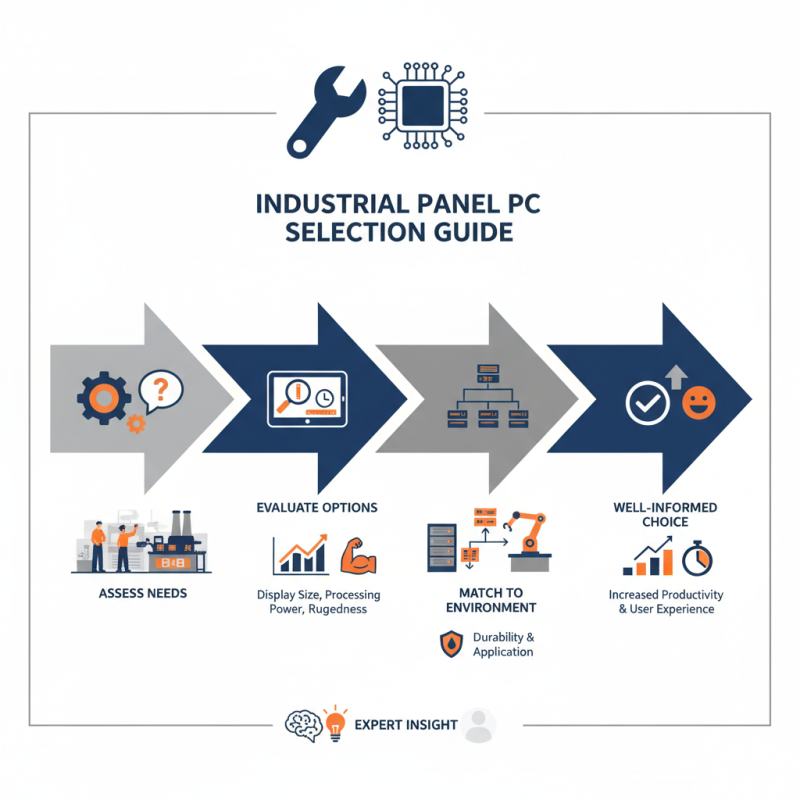
Industrial Panel PCs come in different shapes and sizes. They serve various industries. Yet, many users often overlook essential features. The display size, processing power, and ruggedness vary greatly. Users must reflect on their daily tasks. What works for one factory may not meet another’s demands.
Investing in an Industrial Panel PC involves risks. Users might choose a model based on trends rather than suitability. This could lead to inefficiencies. So, it’s vital to assess the working environment and specific applications. Making a well-informed choice not only boosts productivity but also enhances user experience.
Factors to Consider When Selecting an Industrial Panel PC for Automation
When choosing an industrial panel PC, several factors must be considered. The environment in which the panel PC operates is critical. Many reports suggest that about 50% of industrial PCs face issues due to inadequate thermal management. Operating temperature and humidity levels directly affect performance.
It’s essential to assess how the device will interface with your automation systems. Communication ports and software compatibility play key roles. Ensure that the panel PC supports the necessary protocols. Approximately 30% of automation failures arise from connectivity issues.
Tip: Always verify the durability ratings of the panel PC against industry standards.
Additionally, consider the touch capabilities. Some reports indicate that over 40% of users prefer touchscreen interfaces for ease of use. User feedback indicates frustration with non-intuitive controls. Evaluate the resolution and responsiveness of the touch screen.
Tip: Make a list of your must-have features and refine them according to your budget.
Lastly, ponder the support and warranty provided. A short warranty period can be a red flag. Industry trends show companies benefit from extended support policies. Your investment deserves protection against potential failures.
Evaluating Processing Power: Understanding CPU Requirements for Industrial Tasks
When choosing an industrial panel PC, evaluating the CPU requirements is crucial. A strong CPU can handle complex tasks efficiently. It ensures your applications run smoothly without delays. However, the right CPU depends on your specific industrial needs. For instance, data processing and real-time monitoring will require more computing power.
Consider the number of cores and clock speed. Many users overlook these factors. A dual-core processor may suffice for basic tasks. However, demanding applications could lag. More complex operations often need quad-core CPUs with higher clock rates.
Don't ignore thermal performance. Heat management is vital in an industrial setting. An underperforming CPU may overheat and malfunction. Regular assessments of CPU efficiency and power needs can prevent future issues. Balancing power and budget is tricky. Strive for a CPU that meets your current and future requirements. This is a continual process that needs attention.
Importance of Display Specifications: Brightness, Size, and Resolution Needs
Choosing the right industrial panel PC involves understanding display specifications. Brightness, size, and resolution significantly impact usability. A bright screen enhances visibility, especially in well-lit environments. Consider how reflective surfaces may affect brightness accounts. A minimum brightness of 300 nits is common for outdoor use.
Size is another critical factor. A larger display improves readability from a distance. However, it also requires more space. Think about your workspace and how much room you have. A too-large screen can overwhelm a small area.
Resolution is equally essential. Higher resolution means clearer images and better detail. For many industrial applications, a resolution of 1920x1080 is sufficient. Yet, it's crucial to align resolution with the intended use. 4K may seem appealing, but does it provide actual benefits for your task?
Tips: Always test the screen in its environment. Note any glare or visibility issues firsthand. A personal assessment can uncover hidden problems. Discuss your needs with colleagues. Other opinions might reveal overlooked details that impact decision-making.
Assessing Environmental Durability: IP Ratings and Operating Temperature Ranges
When selecting an industrial panel PC, environmental durability is crucial. IP ratings indicate the level of protection against dust and water. For example, an IP65 rating means the device is dust-tight and can withstand water jets. This feature is essential for devices used in harsh conditions, such as factories or outdoor installations. A study by TechSci Research shows that the industrial PC market is expected to grow significantly. Water and dust protection are vital factors that affect this growth.
Operating temperature ranges also matter. Many industrial panel PCs operate effectively within -20°C to 60°C. However, in extreme conditions, performance can falter. Devices may fail outside this range. According to a report by Allied Market Research, a rise in automation is increasing the demand for robust technologies. Handling thermal stress is a challenge, yet essential for reliability. Consistent performance under fluctuating temperatures is a key consideration for businesses.
Not all devices are built equally. Some panels may not meet environmental standards. It’s important to check specifications closely. Skimping on durability can lead to downtime. In a study by Gartner, 55% of businesses cited equipment failure due to environmental factors as a major issue. Investing in a panel PC with suitable IP ratings and temperature resilience ultimately pays off in the long run.
How to Choose the Right Industrial Panel PC for Your Needs? - Assessing Environmental Durability: IP Ratings and Operating Temperature Ranges
| Model | IP Rating | Operating Temperature Range (°C) | Features |
| Model A | IP65 | -20 to 60 | Fanless design, Touchscreen |
| Model B | IP67 | -30 to 70 | Stainless steel housing, Anti-reflective screen |
| Model C | IP54 | 0 to 50 | Touchscreen, Vibration resistant |
| Model D | IP66 | -10 to 80 | Rugged design, Wide voltage input |
| Model E | IP69K | -40 to 85 | High shock resistance, Marine grade |
Connectivity Options: Ensuring Compatibility with Existing Industrial Systems
Selecting the right industrial panel PC involves understanding connectivity options. Compatibility with existing systems is crucial. Most industrial environments have legacy systems that require specific interfaces. According to industry reports, 65% of manufacturing facilities still use older technology. This reflects the need for panel PCs that can integrate seamlessly.
USB, HDMI, and Ethernet are common connectivity options. However, selecting the correct ports is essential. For example, using outdated USB versions can lead to data bottlenecks. Some panel PCs offer a mix of old and new ports. This versatility is vital. It allows smooth integration into various networks and devices.
Tip: Assess your current system. Identify the interfaces in use. Determine what you need for future upgrades. Remember that flexibility in connectivity can save money long-term.
Not all panel PCs can connect to your existing network. Some may lack essential ports or require adapters. This can create additional costs and installation time. Review the specifications carefully. Look for models that provide multiple connection options. A thoughtful approach can prevent future integration headaches.