Why Choose a Retail Store Cash Register?
Choosing a Retail Store Cash Register is not just about buying a screen and a cash drawer. It is about making everyday transactions easier to complete and easier to check. Picture a lunch rush: a customer taps a card, a receipt prints, and the cashier moves to the next order without searching through confusing menus. Small delays add up.
Retail pioneer Sam Walton said, “There is only one boss—the customer.” That principle applies at checkout. A well-chosen register can support clear pricing, accurate sales records, and a smoother experience for both staff and shoppers. But features alone do not guarantee better service. The system must fit the store’s products, payment needs, staff skills, and existing tools.
Compare the practical details before choosing. Check whether the register supports your payment methods, tracks inventory as needed, and provides dependable customer support. Ask how updates work, what happens during an internet outage, and whether staff can learn the basic steps quickly. Test the screen with real products, not just a polished sales demonstration. That matters.
A cheaper option may suit a small shop with simple transactions. A growing retailer may need stronger reporting or connections to other systems. Still, no register fixes unclear procedures or rushed training. I would not assume one setup works for every store; that is an easy mistake to make. The best choice is the one your team can use confidently, day after day, while giving customers a calm, dependable checkout.
What a Retail Store Cash Register Is and How It Works
Why Choose a Retail Store Cash Register?
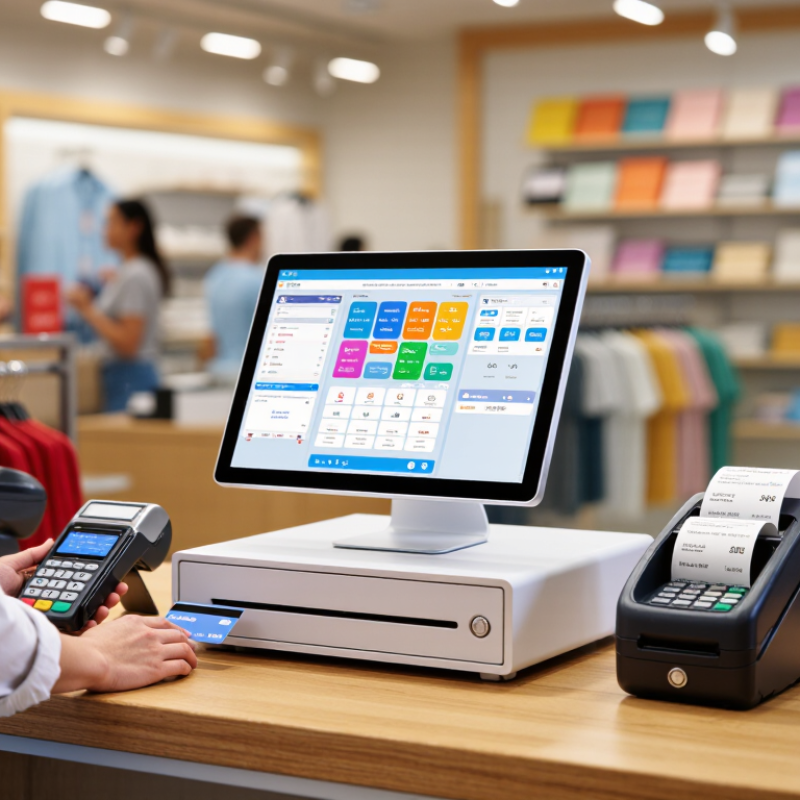
A retail store cash register records each sale, calculates the amount due, and securely handles payment. In a modern setup, it may connect a barcode scanner, cash drawer, receipt printer, and card reader. The cashier scans a jar of coffee; the system applies its price, adds tax, and displays the total. After payment, it saves the transaction and may update stock records. Simple, but useful. The register gives staff a clear record for refunds, end-of-day counts, and sales checks. It does not guarantee accurate inventory, though; incorrect product data can still create mistakes.
Industry figures show why accurate checkout records matter. The Federal Reserve’s 2024 Diary of Consumer Payment Choice found that cash accounted for 16% of consumer payments in 2023. A store register can track cash alongside other payment types, helping owners compare drawer totals with recorded sales. The National Retail Federation’s 2023 National Retail Security Survey reported an average inventory shrink rate of 1.6% of sales for fiscal year 2022. A register cannot prevent all losses, but consistent transaction records can help flag discrepancies for review.
Tips: Test the drawer and receipt printer before opening. Check prices and tax settings when products change. Count cash against the register’s closing report, and investigate differences calmly. Small errors happen; repeated ones deserve attention.
Why Choose a Retail Store Cash Register?
What a Retail Store Cash Register Is and How It Works
A retail cash register records a sale, calculates tax, accepts payment, and determines change. This illustrative example uses a $100 subtotal, an assumed 8% sales tax, and a $120 cash payment. Actual tax rates vary by location.
Core Features for Processing Sales and Payments
A retail store cash register should make everyday checkout clear, quick, and dependable. Its core job is simple: record each item, calculate the total, and accept payment accurately. A cashier should be able to scan a barcode, change a quantity, or remove an item without restarting the sale. Small details matter. A readable screen helps staff confirm prices, while a printed or digital receipt gives customers a clear record. For mixed baskets, the register should handle discounts, tax settings, and split payments with visible totals.
A practical system supports cash, cards, and contactless payments, with clear prompts at each step. It should show whether a payment is approved before the drawer opens or a receipt prints. Useful sales reports can reveal busy hours, popular items, and common refund patterns, helping owners plan stock and staffing. But reports are only as reliable as the entries. A rushed scan or missed correction can distort the picture. That is easy to overlook. Staff need straightforward training, and managers should review unusual totals instead of trusting every screen automatically. A register cannot fix a confusing workflow. It can make a good one easier to repeat.
How a Cash Register Supports Daily Store Operations
A retail cash register is more than a drawer for bills. It records each sale, calculates change, and gives staff a clear transaction trail. During a busy afternoon, that record can help answer practical questions: Was the discount applied? Did the return go through? How much cash should be in the till?
Cash still matters at checkout. The Federal Reserve’s 2024 Diary of Consumer Payment Choice found that cash accounted for 16% of U.S. consumer payments in 2023. A register helps staff handle cash alongside card payments and track both consistently. The U.S. Census Bureau reported that e-commerce made up 16.1% of total U.S. retail sales in the fourth quarter of 2024, seasonally adjusted. In-store routines remain a substantial part of retail operations.
Useful records. Less guesswork. A register can also support end-of-day checks by comparing recorded sales with the till’s cash count. That does not prevent every mistake. Staff still need clear procedures, and hurried counting can leave discrepancies. But when a customer asks for a receipt or a manager checks a shift’s figures, accurate transaction records make the next step easier.
Factors to Consider When Choosing a Store Cash Register
Choosing a retail store cash register starts with how your shop actually trades, not a feature checklist. A busy lunch counter needs fast item lookup, clear totals, and a drawer that opens reliably. A small gift shop may value simple stock tracking more. The right fit depends on daily volume, staff experience, and checkout space. Small details matter.
Payment coverage deserves close attention. The Federal Reserve’s 2024 Diary of Consumer Payment Choice reported that cash accounted for 16% of U.S. consumer payments in 2023. A register should handle cash accurately while supporting the card and contactless methods your customers use. Check whether it prints readable receipts, records refunds, and reconciles each shift. Ask how sales data can be exported or backed up. Test it live.
Also try the screen with real products and hurried hands. Buttons should be easy to find, and the drawer should fit beneath the counter without blocking staff. Confirm setup costs, software fees, warranty terms, and support hours before buying. If you track inventory elsewhere, verify that the register can share item counts and prices with that system. One caution: a low purchase price can hide recurring costs. No register can rescue a poorly planned checkout. Choose a system staff can learn quickly, then trial it during a normal shift.